

WP Security Ninja
Price range: $5.60 through $31.60
WP Security Ninja – A complete WordPress protection tool against hackers, malware, and security flaws
Download this and all other Plugins & Themes as a premium member for only $7.99
Join VIP Now !
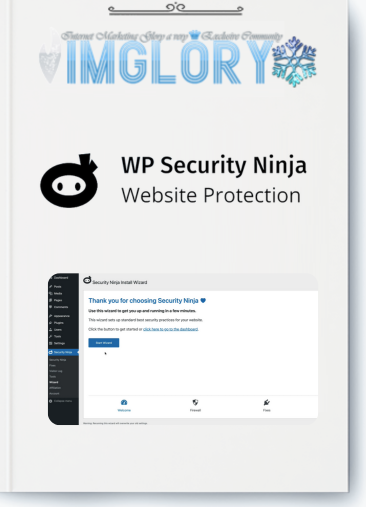
WP Security Ninja is a feature-rich WordPress plugin created to fortify your site’s security from every angle. If you’ve ever experienced the nightmare of waking up to find your WordPress site hacked—lost data, collapsed SEO rankings, or worse, a Google “malware warning”—you know how catastrophic it can be. That’s precisely why WP Security Ninja exists. It’s lightweight, efficient, and acts as a shield against an extensive range of online threats. This is the trusted security tool that Dlewordpress recommends and provides to the community at an unbeatable price point. Let’s dive deeper into why it has become a must-have for WordPress users worldwide.
What is WP Security Ninja?

WP Security Ninja is more than just a plugin. It’s an advanced WordPress security solution tailored to detect vulnerabilities, block threats, and protect your online presence. In today’s digital environment, where your website represents your brand identity, safeguarding it is not optional—it’s essential.
Think of WP Security Ninja as your silent but powerful gatekeeper. With fast installation, automated security scans, and real-time defenses, it preserves the stability, trust, and reputation of your website—ensuring attackers never get the upper hand.
19 Key Features That Shield Your WordPress Site

- Quick Setup Wizard – Configure essential protection in minutes.
- MainWP Integration – Centralized management for multiple sites.
- Firewall Protection – Block malicious bots and filter traffic automatically.
- Malware Scanner – Scan and remove harmful code instantly.
- One-Click Fixes – Solve critical issues with a single click.
- Automated Security Scans – Schedule scans and receive alerts for suspicious changes.
- Geo-blocking – Restrict access from specific countries.
- Secure Login Forms – Protect against brute-force login attempts.
- Plugin Integrity Checker – Ensure your plugins are safe and untouched.
- Premium Developer Support – U.S.-based expert support whenever needed.
- Vulnerability Scanner – Identify plugins with known security flaws.
- Custom Login URL – Hide your wp-login page from attackers.
- Block 600+ Million Malicious IPs – Daily database updates for stronger protection.
- Event Logging – Monitor over 50 activities happening on your website.
- WordPress Core File Verification – Keep your core files intact and safe.
- Custom Redirects – Redirect blocked visitors to a page of your choice.
- Suspicious Request Blocking – Stop dangerous queries before they harm your site.
- Import/Export Settings – Apply the same setup across multiple projects.
- White Label Options – Manage customer details and licenses with flexibility.
Official WP Security Ninja Pricing
| Plan | Original Price (Monthly) | Discounted Price | Savings | Number of Sites | Key Features |
| Solo | $11.10 | $9.99 | 10% | 1 website | Setup wizard, firewall, malware scan, logs, one-click fixes, premium support |
| Team | $22.49 | $17.99 | 20% | 3 websites | All Solo features, wider coverage |
| Business 🏆 | $26.65 | $19.99 | 25% | 5 websites | Scheduled malware scans, advanced firewall, detailed logging |
| Professional | $57.13 | $39.99 | 30% | 10 websites | Complete features, ideal for agencies |
Where to Get WP Security Ninja at the Best Price?

Buying directly from wpsecurityninja.com is great but can be quite expensive, especially for new website owners or agencies managing multiple projects. Here’s the smarter option: Dlewordpress provides an exclusive shared access solution so you can unlock all premium WP Security Ninja features without breaking the bank:
- 1 site package – only 5.6$
- 10 site package – only 31.6$
No license headaches, no update worries , the Dlewordpress team takes care of everything. You simply install the plugin and enjoy enterprise-level security for your WordPress sites at a fraction of the official price.
Why Choose WP Security Ninja at Dlewordpress
When it comes to protecting your WordPress website, investing in the right security plugin is crucial. WP Security Ninja has long been recognized as a trusted solution for keeping sites safe from hackers, malware, and vulnerabilities. At Dlewordpress, you don’t have to break the bank to enjoy its full potential. With our group-buy model, you gain access to the Pro version at a fraction of the original price while still benefiting from the same premium features and regular updates.
- Significant Cost Savings: Instead of paying full price individually, you can secure the plugin through our group-buy option at a much lower cost.
- Guaranteed Updates: Always stay up to date with the latest release, ensuring your website is never left exposed to outdated security issues.
- Local Support: Receive fast, clear guidance in your own language, so you don’t have to wait for slow international assistance.
- Proven Track Record: Thousands of WordPress users trust our service. We’ve built a reputation for reliability, security, and consistent delivery.
In short: affordable, secure, and backed by a dedicated support team.
How to Purchase WP Security Ninja at Dlewordpress
- Visit the Dlewordpress website and select your desired plan (1 site or 10 sites).
- Complete your payment using PayPal, bank transfer, or other supported methods.
- Once the transaction is confirmed, you’ll receive account credentials and an installation guide with license activation to begin securing your WordPress site.
How WP Security Ninja Protects Your Website
WP Security Ninja is designed to safeguard WordPress sites with simple yet powerful features. Here’s how it works:
- Step 1: Select a reliable hosting provider with modern security layers to minimize threats at the server level.
- Step 2: Strengthen your defenses by using strong passwords and enabling two-factor authentication.
- Step 3: Install and configure WP Security Ninja to run vulnerability checks, control access, perform malware scans, and send email alerts to notify you of potential risks.
By following these steps, your WordPress site will be far better protected against malicious attacks and system weaknesses.
Main Advantages
- Quick and Easy Setup: You don’t need advanced technical knowledge to install or configure WP Security Ninja.
- Robust Firewall: Blocks malicious IPs, filters suspicious requests, and ensures your website is shielded against unwanted traffic.
- Login Security & Auto-Blocking: Reduce risks of unauthorized access with login protection and customizable auto-block rules.
- Activity Logger: Monitor all activities on your website with detailed event logs, giving you complete visibility.
Disadvantages
- So far, none have been reported!
Who Should Consider WP Security Ninja?
- Individual Website Owners: Anyone managing a personal or business WordPress site who wants peace of mind.
- Administrators: Professionals responsible for maintaining and securing client websites.
- WordPress Developers: Developers who build or customize sites for clients and need reliable security measures.
- Online Entrepreneurs: eCommerce, forums, and digital businesses that rely on WordPress for operations.
- Agencies: Web design firms, marketing agencies, and IT consultants offering secure solutions to clients.
- Security-Conscious Users: Any individual or organization that understands the importance of proactive cyber defense.
Frequently Asked Questions
- Does WP Security Ninja defend against brute force attacks?
Yes. It limits login attempts, blocks suspicious IPs, allows you to change the login URL, and supports 2FA. - Can it automatically scan for malware?
Yes, the Pro version allows scheduled daily or weekly scans to detect malicious files or unusual changes. - How does the Core Scanner work?
It compares your WordPress core files with official versions to identify modifications. - Does it block harmful IPs or countries?
Yes. The firewall enables IP blocking, country restrictions, and filtering suspicious activities. - What’s the difference between Free and Pro versions?
The Free version offers basic checks. The Pro version includes a firewall, malware scans, 2FA, event logging, auto-fixes, and more. - How do I manage multiple websites?
Use the MainWP add-on for centralized multi-site management. - Does it slow down websites?
No. WP Security Ninja is lightweight and works on schedules without constant background processes. - Can it fix problems with one click?
Yes, issues such as file permissions or database prefix changes can be fixed instantly. - Does it integrate with webhook/Zapier?
Yes. It can send security alerts via webhook and integrates seamlessly with Zapier. - Is it multilingual and GDPR-friendly?
It primarily supports English. It complies with GDPR by not storing sensitive personal data. - How does it compare to Wordfence?
WP Security Ninja is lighter and easier to use, while Wordfence offers more advanced but complex options. - Is there a free version?
Yes, but the Pro version is strongly recommended for full protection. - What if my site is hacked?
The plugin helps identify threats and suspicious files, but restoring requires backups. Use alongside a backup plugin for full recovery. - Is the group-buy version different from the official one?
No. You’ll receive the same Pro features and updates. - Can I use it across multiple projects?
Yes. The 10-site license works perfectly for agencies and multi-site owners. - Does it conflict with other security plugins?
Not usually. However, it’s best to stick with one primary security plugin to avoid feature overlap.
Conclusion
WP Security Ninja isn’t just another plugin — it’s a powerful, lightweight, and reliable defense system for your WordPress website. With tools like malware scanning, firewall protection, brute force prevention, and real-time logging, it offers comprehensive coverage against modern threats.
Best of all, you can now get it at Dlewordpress for only 5.6$/site . This small investment gives you premium-level protection without the premium price tag. Whether you’re a blogger, business owner, or agency, WP Security Ninja ensures your website stays safe, secure, and fully optimized.
Don’t wait until it’s too late, secure your WordPress site today with WP Security Ninja at Dlewordpress and enjoy peace of mind knowing your online presence is protected.
| License | 1 site, 10 sites |
|---|
Important Note
Unzip the file downloaded from our website before use. The zip file may include additional files like templates or documentation. Ensure you upload the correct file for installation.
How to Install Plugins
- Download the latest
.ZIPfile from DLEWordPress. - Log into your WordPress dashboard.
- Navigate to Plugins > Add New.
- Click Upload Plugin at the top.
- Select the plugin’s zip file.
- Click Install Now to complete the process.
How to Install Themes
- Download the latest
.ZIPfile from DLEWordPress. - Extract the zip file if required; ensure the main theme and child theme are accessible.
- Log into your WordPress dashboard.
- Go to Appearance > Themes.
- Click Add New, then Upload Theme.
- Select the theme’s zip file.
- Click Install Now to complete the installation.
Access Older Plugin/Theme Versions
Our website also hosts older versions of plugins and themes. You can use these to test compatibility with your website or roll back to a previous version in case of bugs or compatibility issues.
License Warnings
If the theme/plugin prompts for a license, you can safely ignore it. We provide pre-activated products using legal keys purchased for your use.
Updating to a New Version
When updates are available, you’ll find the latest versions in your My Account > Downloads section and for Membership customers Download files are available of product pages.
Fixing “Destination Already Exists” Error
- Delete the current version of the theme/plugin from your site before installing our premium version to avoid conflicts.
- Alternatively, install the Easy Theme and Plugin Upgrades plugin to resolve this issue effortlessly.
DLEWordPress ensures you have all the tools and support you need for seamless installations and updates!
For any installation or technical-related queries, Please contact via Live Chat or Support Ticket.Related products

WordPress

WordPress

WordPress

WordPress

WordPress

WordPress
WordPress

WordPress