
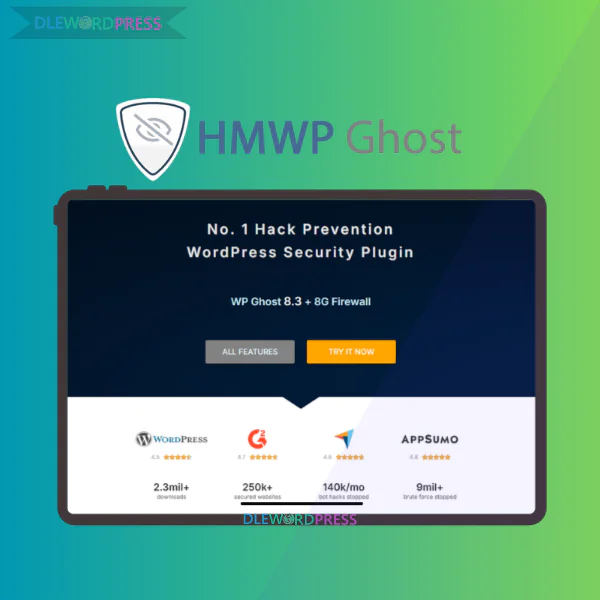
Hide My WP Ghost
$7.00 – $71.00Price range: $7.00 through $71.00
Hide My WP Ghost – A smart WordPress security plugin that masks core paths and prevents malicious attacks
[wpsm_colortable color=”green”]
| Name : | Hide My WP Ghost |
|---|---|
| Version : | Last |
| Type : | Security Plugins |
| Brand : | WP Ghost |
| Sales/Demo : | https://hidemywpghost.com/ |
[/wpsm_colortable]
Download this and all other Plugins & Themes as a premium member for only $7.99
Join VIP Now !
Every day, more than 140,000 automated bots scan the internet looking for weaknesses in WordPress websites. Even more alarming, roughly 83% of hacked CMS sites are powered by WordPress. That figure speaks for itself. As the platform continues to dominate the web, it naturally attracts attackers searching for predictable entry points.
If you need a serious security solution to shield your site from brute force attempts, bot-driven scans, or vulnerabilities like XML-RPC abuse, then Hide My WP Ghost is worth a closer look. This plugin goes far beyond simply changing your login URL. It acts as a sophisticated cloaking mechanism, making your WordPress installation significantly harder to detect in the first place.
What Is Hide My WP Ghost?

Official Hide My WP Ghost homepage demonstrating advanced WordPress footprint hiding technology and layered protection against bots, brute force attempts, and common vulnerability scans.
Hide My WP Ghost is a high-level WordPress security plugin built around proactive anonymity. Instead of relying solely on firewalls that respond after an intrusion attempt, it removes the recognizable WordPress patterns that automated scripts typically search for.
In practical use, the plugin can:
- Conceal and customize default paths such as wp-admin, wp-login.php, wp-content, and wp-includes
- Reinforce the admin dashboard and limit unauthorized entry attempts
- Prevent brute force attacks, SQL injection attempts, XSS exploits, and XML-RPC abuse
- Run more than 35 in-depth security diagnostics with actionable recommendations
- Operate without altering core WordPress files thanks to its filter-based structure
- Remain compatible with 1,000+ themes and plugins, including cache systems and CDN services
- Maintain an average performance impact of approximately 0.03 seconds
You can access this plugin through DleWordPress, which offers a practical and budget-friendly way to secure WordPress websites without compromising reliability.
The Developers Behind Hide My WP Ghost
Hide My WP Ghost is created by the WP Ghost Team, specialists focused on WordPress security and performance solutions. They are also known for developing Squirrly SEO, a respected SEO plugin widely adopted within the WordPress ecosystem.
More than 25,000 businesses use this product annually. That number reflects real-world trust from companies that depend on uptime, stability, and strong security measures to protect their digital assets.
Core Features of Hide My WP Ghost
Comprehensive overview of Hide My WP Ghost features such as firewall integration, login protection, admin URL masking, brute force defense, and enhanced system-level security controls.
- Admin Dashboard Hardening
The admin panel is a prime target. This feature adds multiple layers of protection to prevent unauthorized access. - Path Obfuscation
Default WordPress URLs are hidden or replaced, reducing exposure to automated detection tools.
- Brute Force Mitigation
Login attempts are restricted, and suspicious activity triggers immediate responses.
- SQL Injection Filtering
Additional filtering blocks harmful database queries before they reach your system.
- XML-RPC Management
You can disable or restrict xmlrpc.php to reduce vulnerability through this common attack channel.
- XSS Defense
Implements protective headers to minimize Cross-Site Scripting risks.
- URL and Text Mapping
Allows customization of internal paths and hides theme or plugin identifiers from public view.
- Automated Security Analysis
Performs over 35 tests to detect weaknesses and provides clear improvement guidance.
- Activity Monitoring
Tracks important user actions so anomalies can be identified quickly.
- Two-Factor Authentication
Adds an extra verification step for admin accounts to reduce takeover risks.
- 7G & 8G Firewall Support
Integrates Jeff Starr’s firewall technology for strong filtering without slowing down your site.
- Temporary Access Accounts
Generate time-limited credentials for developers or collaborators, limiting long-term exposure.
How to Set Up Hide My WP Ghost Step by Step
- Step 1: Install and Activate
From your WordPress dashboard, navigate to Plugins → Add New, search for Hide My WP Ghost, then install and activate it. After activation, the plugin automatically scans your website and displays a security score overview. - Step 2: Activate Safe Mode
Begin with Safe Mode inside the settings panel. This enables essential protections while minimizing compatibility issues.
- Step 3: Customize the Login URL
Modify the default wp-admin and wp-login paths under the Login and Admin section. Test the new URL in an incognito browser window before logging out.
- Step 4: Disable XML-RPC if Unnecessary
If remote publishing is not required, turn this feature off to eliminate a frequent attack vector.
- Step 5: Enable Brute Force Protection
Define a limit for failed login attempts to block automated password guessing.
- Step 6: Configure Security Headers
Enable headers such as X-Frame-Options and X-XSS-Protection to reinforce browser-level security.
- Step 7: Apply Advanced URL Mapping
For experienced users, additional path masking can be configured. Implement changes gradually and test thoroughly.
- Step 8: Refresh Permalinks
Go to Settings → Permalinks and click Save Changes to update rewrite rules.
- Step 9: Clear Cache
Purge all cache data if using a caching plugin or CDN to ensure new settings are applied.
- Step 10: Monitor Continuously
Regularly review security logs and keep the plugin updated. Website protection requires consistent attention.
Hide My WP Ghost – Pricing
| Feature / Plan | Ghost 5 LTD | Ghost 10 LTD | Ghost 200 LTD |
| 💼 Target | For Agencies | For Agencies | For Agencies |
| 💵 Original Price | $600 | $1196 | $2560 |
| 💰 Sale Price (One-Time) | $180 | $360 | $640 |
| 📉 Discount | 70% | 70% | 75% |
| 🖥 Websites Allowed | 5 | 10 | 200 |
| 🔒 One-Time Payment | ✔ | ✔ | ✔ |
| 🔐 Secure & Protect | ✔ | ✔ | ✔ |
| 🚀 Hide WP Common Paths | ✔ | ✔ | ✔ |
| 📂 Hide WP Common Files | ✔ | ✔ | ✔ |
| 🔐 Protect WordPress Paths | ✔ | ✔ | ✔ |
| 🧠 Script Injection Protection | ✔ | ✔ | ✔ |
| 🛡 SQL Injection Protection | ✔ | ✔ | ✔ |
| 📊 Activity Logs & Alerts | ✔ | ✔ | ✔ |
| 🔐 Brute Force Attack Protection | ✔ | ✔ | ✔ |
| 🛡 7G & 8G Firewall | ✔ | ✔ | ✔ |
| 🔑 Two Factor Authentication (2FA) | ✔ | ✔ | ✔ |
| 🌍 Country Blocking (GEO Security) | ✔ | ✔ | ✔ |
| ⏱ Temporary Login Access | ✔ | ✔ | ✔ |
| 🧪 Cross-Site Scripting (XSS) Protection | ✔ | ✔ | ✔ |
| 🔌 XML-RPC Attacks Protection | ✔ | ✔ | ✔ |
| ⚡ One-Click Security Fix | ✔ | ✔ | ✔ |
| 📌 And More… | ✔ | ✔ | ✔ |
Where to Buy Hide My WP Ghost at a Good Price – Reliable Option
Up to date pricing overview of Hide My WP Ghost license packages tailored for personal website owners freelance developers and agencies managing multiple WordPress projects
If you want to purchase Hide My WP Ghost without paying the full retail cost for each separate license, DleWordPress is a practical alternative to look at. This platform distributes WordPress plugins and tools through a shared license model, making it a smart fit for freelancers, marketers, and small business owners running multiple sites. Instead of stretching your budget on individual purchases for every project, you can centralize costs while still unlocking the core Pro features that matter for website protection.
Why Choose Hide My WP Ghost at DleWordPress?
- Lower overall cost compared to buying standalone licenses one by one.
- Technical assistance available for installation and configuration.
- Regular version updates with new improvements and security fixes.
- Support team that responds when you need help resolving issues.
- Ideal for freelancers and agencies handling several WordPress websites simultaneously.
For anyone managing client projects, keeping expenses predictable is key. Using a shared access model allows you to stay flexible financially while still maintaining professional security standards.
How to Purchase Hide My WP Ghost at DleWordPress
Getting started is straightforward, even if you are not particularly tech savvy.
- Go to the DleWordPress website and search for “Hide My WP Ghost” using the search function.
- Select the subscription plan that aligns with your usage needs.
- Register a new account or log in to your existing one.
- Complete the checkout process by following the on screen payment instructions.
- Once payment is confirmed, you will receive download access along with detailed activation guidance.
Should you run into setup problems, the support team can walk you through the process step by step.
Advantages and Drawbacks of Hide My WP Ghost
Main Benefits
- Proactive defense mechanism that conceals WordPress identifiers instead of only reacting after threats appear.
- No changes made to core WordPress files, meaning uninstalling restores the site to its original configuration.
- Lightweight structure with an average processing load of around 0.03 seconds, resulting in minimal speed impact.
- All in one security toolkit including URL masking, brute force defense, two factor authentication, activity logging, and temporary login links.
- Compatible with Multisite setups, supports White Label functionality, and integrates smoothly with a wide range of themes and plugins.
- Built in Security Check feature that highlights vulnerabilities in a way non technical users can understand.
- Simple onboarding process with an intuitive dashboard that does not require coding skills.
- Strong user ratings across major review platforms such as G2, Capterra, and AppSumo.
Points to Keep in Mind
- Ghost Mode may clash with certain caching or security plugins if configuration is not handled properly.
- Only works with self hosted WordPress installations, not WordPress.com.
- Security Headers must be reviewed carefully, as incorrect settings could interfere with external scripts or CDN services.
- URL and Text Mapping require careful adjustment when combined with WooCommerce or Elementor to avoid unintended class conflicts.
- Some advanced capabilities are restricted to the Pro edition, while the Lite version offers more limited customization.
Who Is Hide My WP Ghost Best Suited For?
- Individual site owners seeking stronger protection without diving deep into technical configuration.
- WooCommerce store operators who need to safeguard customer information and transaction data from automated attacks.
- Freelancers and digital agencies managing multiple WordPress installations and requiring scalable, white label friendly security.
- Developers looking to add an extra stealth layer alongside firewall based solutions like Wordfence or Sucuri.
- Bloggers and publishers who prefer to keep their theme and plugin stack hidden from competitors.
- Small to medium businesses running mission critical websites without hiring a full time security expert.
- Website owners previously affected by hacks who want to reduce the chance of repeated incidents.
Frequently Asked Questions About Hide My WP Ghost
- 1. What exactly is Hide My WP Ghost?
It is an advanced WordPress security extension designed to conceal default platform footprints. By replacing standard URLs with customized paths, it reduces the likelihood of automated detection by bots and malicious scripts. - 2. Why is hiding WordPress structures important?
Many cyberattacks rely on automated scanning tools that search for predictable directories such as/wp-admin/or outdated plugin paths. Masking these elements significantly lowers the risk of becoming an easy target. - 3. What does Ghost Mode do, and is it safe?
Ghost Mode activates the highest level of concealment. It modifies asset paths including CSS, JS, and upload directories. When configured properly, it makes your site far less visible to vulnerability scanners. - 4. What happens if I forget the custom admin URL?
After changing the login path, the system sends the updated link to the administrator’s email. If access issues arise, you can temporarily disable the plugin through Hosting or FTP to restore default access. - 5. Does it conflict with Wordfence?
No. Hide My WP Ghost complements firewall based plugins such as Wordfence or iThemes Security. One focuses on blocking and scanning, while the other disguises system structure, creating layered protection.
Conclusion
Hide My WP Ghost takes a forward thinking approach to website security. Instead of waiting for attacks to occur, it reduces exposure from the outset by hiding predictable system patterns. Given that WordPress remains the most widely used CMS worldwide and a frequent target of automated threats, implementing an additional intelligent security layer is simply a smart long term move. If you want access to Hide My WP Ghost at a more budget friendly rate, explore DleWordPress for consistent updates and responsive support. Protecting your site today is an investment in sustained revenue and brand trust. Reference: https://hidemywpghost.com/
| License | 1 site, 10 sites, Unlimited |
|---|
Important Note
Unzip the file downloaded from our website before use. The zip file may include additional files like templates or documentation. Ensure you upload the correct file for installation.
How to Install Plugins
- Download the latest
.ZIPfile from DLEWordPress. - Log into your WordPress dashboard.
- Navigate to Plugins > Add New.
- Click Upload Plugin at the top.
- Select the plugin’s zip file.
- Click Install Now to complete the process.
How to Install Themes
- Download the latest
.ZIPfile from DLEWordPress. - Extract the zip file if required; ensure the main theme and child theme are accessible.
- Log into your WordPress dashboard.
- Go to Appearance > Themes.
- Click Add New, then Upload Theme.
- Select the theme’s zip file.
- Click Install Now to complete the installation.
Access Older Plugin/Theme Versions
Our website also hosts older versions of plugins and themes. You can use these to test compatibility with your website or roll back to a previous version in case of bugs or compatibility issues.
License Warnings
If the theme/plugin prompts for a license, you can safely ignore it. We provide pre-activated products using legal keys purchased for your use.
Updating to a New Version
When updates are available, you’ll find the latest versions in your My Account > Downloads section and for Membership customers Download files are available of product pages.
Fixing “Destination Already Exists” Error
- Delete the current version of the theme/plugin from your site before installing our premium version to avoid conflicts.
- Alternatively, install the Easy Theme and Plugin Upgrades plugin to resolve this issue effortlessly.
DLEWordPress ensures you have all the tools and support you need for seamless installations and updates!
For any installation or technical-related queries, Please contact via Live Chat or Support Ticket.Related products

WordPress

WordPress

WordPress

WordPress
WordPress

WordPress

WordPress

WordPress