
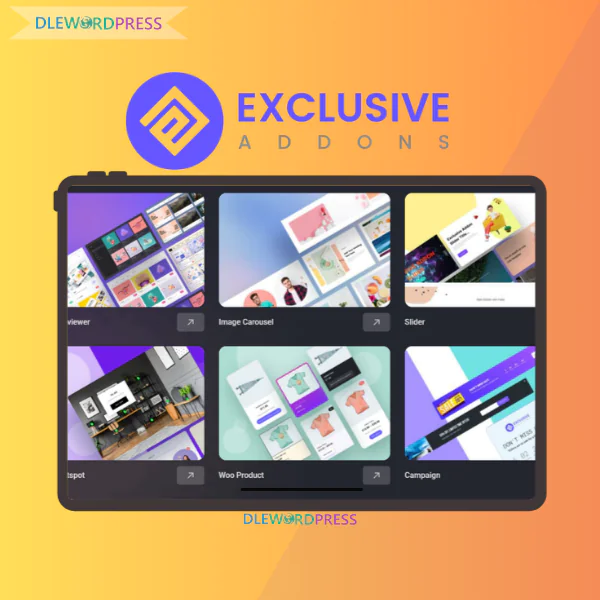
Exclusive Addons
Price range: $12.00 through $52.00
Exclusive Addons – Boost your website design power with Elementor
[wpsm_colortable color=”green”]
| Name : | Exclusive Addons |
|---|---|
| Version : | Last |
| Type : | WP |
| Brand : | Muntasir |
| Sales/Demo : | https://exclusiveaddons.com/ |
[/wpsm_colortable]
Download this and all other Plugins & Themes as a premium member for only $7.99
Join VIP Now !
If you want to extend Elementor in a serious way without turning your website into a slow moving mess, Exclusive Addons deserves a close look. This is not one of those random widget packs built just to inflate feature lists. It is a structured toolkit designed to improve design flexibility, streamline workflow, and maintain strong performance standards. In the guide below, Dlewordpress breaks down exactly how it works and why it matters.
What Is Exclusive Addons?

Screenshot of the official Exclusive Addons homepage highlighting its Elementor extension framework, premium widgets collection, and advanced design capabilities for WordPress websites.
Exclusive Addons is a feature rich extension created specifically for Elementor users. It enhances the default builder by introducing a broad selection of widgets and practical utilities that elevate the overall WordPress design process. At its core, the plugin provides:
- Seamless operation with both Elementor Free and Elementor Pro.
- A library of over one hundred widgets and extensions, available across free and premium tiers.
- Deep WooCommerce compatibility, plus custom tools for building headers and footers.
- A smart asset loading mechanism that runs scripts and styles only when required.
The Team Behind Exclusive Addons
The plugin is maintained by a development team focused entirely on WordPress and Elementor solutions. From hands on usage, it is clear that this is not a side project. Updates arrive consistently, compatibility issues are handled quickly, and new features are rolled out with purpose.
Based on information from the WordPress Repository and public reviews on platforms like AppSumo and TrustPilot, the plugin has exceeded sixty thousand active installations. That level of adoption reflects user confidence and product stability. What genuinely differentiates Exclusive Addons is its performance first philosophy. Many Elementor extensions slow websites because they load every asset globally. Here, you decide which components stay active. Being able to disable unused widgets is a major advantage, especially when building client websites where loading speed and search visibility directly affect results.
Core Features Of Exclusive Addons
Exclusive Addons combines design flexibility with technical efficiency, creating a balanced ecosystem inside Elementor.
Interface view of Exclusive Addons within Elementor, presenting its widget collection and extended customization controls for professional website design.
- Over 108 Widgets And Extensions The collection includes advanced content blocks, marketing elements, ecommerce modules, and modern visual enhancements. Whether you are building landing pages, blogs, or online stores, you can avoid stacking multiple unrelated plugins.
- Header And Footer Builder Design global headers and footers directly inside Elementor. You can assign them site wide or control display conditions for specific pages.
- WebGL Effects In The Pro Edition The premium version introduces dynamic three dimensional background and motion effects that add depth while keeping performance under control.
- Lottie Animation Integration Add lightweight vector animations through URL or local files. Speed, trigger behavior, and display options can all be customized without touching code.
- Example of the Lottie Animation widget in action, demonstrating smooth interactive motion effects that enhance user engagement across pages.
- Cross Site Copy Paste Transfer sections, columns, or individual widgets between different WordPress installations in seconds without manual export files.
- Demo Previewer Browse demo templates using flexible filters, preview covers, and customization settings before applying them.
- Sticky Elements Keep headers, sidebars, or call to action buttons visible while visitors scroll through the page.
- Mega Menu Builder Create advanced navigation systems with multi level layouts that work smoothly across desktop and mobile devices.
Professional multi level navigation created with the Mega Menu Builder, ideal for ecommerce stores and content rich websites with complex category structures.
- WooCommerce Design Widgets Customize product grids, carousels, related product areas, and promotional sections without writing code.
- Glassmorphism Styling Apply modern frosted glass visual effects to sections and widgets for a contemporary interface feel.
- Animated Gradient Backgrounds Add dynamic gradient motion to hero sections or landing pages for stronger visual impact.
- Dynamic Post Modules Display blog posts based on categories, tags, or custom queries with flexible layout controls.
- Particle Background Sections Introduce animated particle effects to increase engagement and visual depth.
- Extensive Icon Library Access more than three thousand high quality icons without installing additional resources.
- Ready Made Templates And Blocks Over sixty four complete templates and nine hundred design blocks help accelerate development time.
- Module Control For Speed Optimization Activate only the components you actually use, ensuring clean loading behavior and improved search engine performance.
How To Install And Use Exclusive Addons
Step 1 Install The Free Version
- Access your WordPress Dashboard.
- Open Plugins and choose Add New.
- Search for Exclusive Addons.
- Select Install Now when it appears.
- Click Activate once installation is complete.
After activation, you will see Exclusive Addons listed in the WordPress sidebar menu.
Step 2 Configure Widgets Strategically
- Open the Exclusive Addons settings panel.
- Navigate to the Elements section.
- Review the available widgets.
- Disable anything you do not plan to use.
- Save your configuration.
A smart approach is to switch everything off first, then activate only what your project truly requires. This keeps your site efficient and responsive.
Step 3 Use It Inside Elementor
- Edit your desired page using Elementor.
- Find the Exclusive Addons widget category in the left panel.
- Drag your chosen widget onto the canvas.
- Refine design settings under Style and Advanced.
The workflow feels fully integrated with Elementor’s native interface, so there is no steep learning curve.
Step 4 Activate The Pro Version
- Purchase a suitable Pro license from the official provider.
- Download the zip package.
- Go to WordPress Dashboard, then Plugins, Add New, and Upload Plugin.
- Select the zip file and install it.
- Activate the plugin.
- Enter your license key in the settings panel to unlock premium features.
With these steps completed, you unlock the full design capacity of Exclusive Addons and gain access to advanced modules and effects. If you are looking for a balanced solution that combines flexibility, speed, and affordability, Dlewordpress is a reliable destination to explore and access this Elementor extension suite at a competitive price.
Exclusive Addons Pricing Comparison
| Features / Plan | Starter — $39 | Popular — $99 | Business — $189 |
| Site Activation | 1 Site | 15 Sites | 1000 Sites |
| License Duration | 1 Year | 1 Year | 1 Year |
| Premium Support | 1 Year | 1 Year | 1 Year |
| Regular Updates | 1 Year | 1 Year | 1 Year |
| Widgets & Extensions | 108+ | 108+ | 108+ |
| Templates | 64+ | 64+ | 64+ |
| Section Blocks | 900+ | 900+ | 900+ |
| Exclusive WebGL Plugin | Included | Included | Included |
Best Place to Purchase Exclusive Addons at a Fair and Trusted Price
Finding a reliable source to buy Exclusive Addons at a competitive rate can feel overwhelming, especially when you also want proper support and authentic licensing. If you prefer a balance between affordability and stability, Dlewordpress is a platform worth considering. It focuses on delivering licensed WordPress plugins in a budget conscious way, making premium tools accessible to freelancers, boutique agencies, and independent site owners who want professional results without unnecessary expenses.
Why Consider Buying Exclusive Addons from Dlewordpress?
- Pricing that is typically lower than purchasing separate international licenses
- Quick guidance for setup and activation
- Pre purchase consultation to help you select the correct plan
- Solid background in distributing WordPress and SEO tools
- Appropriate for newcomers and experienced web professionals alike
Instead of navigating complex checkout systems or guessing which license fits your needs, you receive structured support from the beginning. That clarity alone can save time and prevent costly mistakes.
Steps to Order Exclusive Addons at Dlewordpress
- Step 1: Access the official Dlewordpress website and locate the Exclusive Addons product page
- Step 2: Review available packages and choose the one aligned with your project requirements
- Step 3: Follow the secure payment instructions provided on the platform
- Step 4: Receive your account details along with installation assistance
- Step 5: Activate the plugin and begin designing immediately
The entire process is streamlined and beginner friendly. Even if you are not highly technical, you can complete everything without confusion.
Pros and Cons of Exclusive Addons
Key Benefits
- Smart resource management for better speed
One of the standout strengths of Exclusive Addons is its approach to performance. Scripts and styles are loaded only when a specific widget is actually used on a page. This selective loading prevents unnecessary code from slowing down your site, which is a common issue with large addon collections. The result is a cleaner and more responsive website. - Extensive widget library for flexible design
With more than one hundred widgets available, the toolkit covers a wide range of practical use cases. Marketing elements such as countdown sections, promotional boxes, and call to action layouts sit alongside advanced content features like timelines, testimonials, and dynamic post displays. In many cases, you will not need additional plugins because the essentials are already included. - Large collection of ready built templates
Time matters in web development. Access to hundreds of pre designed blocks and complete page layouts allows you to launch projects much faster. You can import a structure, refine the content, and adapt the design to match your brand identity. This approach is particularly valuable when managing multiple client websites at once. - Reliable support for WooCommerce websites
Exclusive Addons works smoothly with ecommerce projects. Dedicated widgets such as product grids, product sliders, and related product sections give you the freedom to customize shop pages with precision. A more engaging product layout often leads to longer browsing sessions and improved user interaction. - Free version available for smaller projects
If you are not ready to upgrade immediately, the free edition offers enough features to build a personal blog, a company introduction website, or a focused landing page. It provides a safe starting point before committing to the Pro version. - No coding knowledge required
Everything runs inside the familiar Elementor interface. You can adjust layouts, styling, and effects visually without touching HTML, CSS, or PHP. This lowers the entry barrier for beginners while still offering depth for advanced designers.
Limitations to Keep in Mind
- Premium features are locked behind the Pro plan
Many of the most visually refined templates and advanced widgets are part of the paid edition. To fully unlock the system’s potential, upgrading is usually necessary. - Activating unused modules may impact speed
Although performance controls are built in, enabling every available widget without purpose can still add extra weight to your website. It is best practice to activate only the tools you genuinely need. - Occasional compatibility adjustments after major Elementor updates
Large updates to Elementor may sometimes require small styling tweaks. While this does not happen frequently, testing updates in a staging environment before applying them to a live site is always recommended.
Who Can Benefit Most from Exclusive Addons?
- Freelance website creators
If you build sites for clients, this addon suite broadens your design options without stacking multiple plugins. The ability to transfer sections between domains can significantly reduce repetitive work. - Small agencies managing tight budgets
Rather than purchasing separate solutions for headers, mega menus, and ecommerce layouts, you can centralize functionality within one integrated toolkit. This helps control operational costs. - WooCommerce shop owners
Business owners who prefer to manage their own storefront design can customize product pages, category layouts, and promotional banners without hiring a developer. - Bloggers aiming for a more polished look
Dynamic post widgets and modern visual effects allow content driven websites to stand out beyond basic theme designs. - Elementor users seeking more creative freedom
Since the controls remain consistent with Elementor’s interface, expanding your design capabilities feels natural rather than overwhelming.
Frequently Asked Questions About Exclusive Addons
- 1. What exactly is Exclusive Addons for Elementor?
It is an advanced extension library built for Elementor. It introduces over one hundred additional widgets and multiple design extensions that are not included in the standard Elementor package. Its purpose is to help users craft visually refined websites aligned with contemporary design trends. - 2. Is Elementor Pro required?
No. It operates smoothly with the free version of Elementor. Tools such as Header Footer Builder, Mega Menu, and Sticky Effects can cover many features typically associated with Elementor Pro, potentially lowering overall costs. - 3. Does it affect website performance?
No. Thanks to its modular control system, you can enable or disable individual widgets. If certain visual effects or advanced elements are not needed, simply deactivate them to maintain optimal loading speed. - 4. How does the cross domain copy feature function?
This feature allows you to duplicate a section or full page from one website and paste it directly into another site under a different domain. It eliminates the need for manual export and import procedures. - 5. What is the Glassmorphism extension?
Glassmorphism is a frosted glass style effect inspired by modern operating systems. Exclusive Addons provides a visual control panel that lets you apply this aesthetic to widgets without writing custom CSS. - 6. How extensive is the template library?
The Pro edition includes access to more than 900 ready made design blocks along with numerous complete page templates. These layouts follow modern design standards and can be inserted instantly into your project. - 7. Can it be used for WooCommerce store customization?
Yes. The plugin offers WooCommerce specific widgets such as Product Grid, Category List, Wishlist, and Quick View, allowing you to personalize your online store without being limited by default theme structures.
Final Thoughts
Exclusive Addons goes far beyond being a simple widget bundle. It serves as a comprehensive enhancement layer for Elementor, improving performance, expanding creative control, and simplifying advanced design tasks without requiring code.
If building high quality websites is part of your long term strategy, investing in the right tools is a practical decision. For those seeking a balance between affordability and licensed stability, Dlewordpress offers a solution worth evaluating.
Your website does not have to resemble countless generic layouts. With the right toolkit and a clear design vision, you can create something that genuinely stands out.
Reference: https://exclusiveaddons.com/
| License | 1 site, 10 sites |
|---|
Important Note
Unzip the file downloaded from our website before use. The zip file may include additional files like templates or documentation. Ensure you upload the correct file for installation.
How to Install Plugins
- Download the latest
.ZIPfile from DLEWordPress. - Log into your WordPress dashboard.
- Navigate to Plugins > Add New.
- Click Upload Plugin at the top.
- Select the plugin’s zip file.
- Click Install Now to complete the process.
How to Install Themes
- Download the latest
.ZIPfile from DLEWordPress. - Extract the zip file if required; ensure the main theme and child theme are accessible.
- Log into your WordPress dashboard.
- Go to Appearance > Themes.
- Click Add New, then Upload Theme.
- Select the theme’s zip file.
- Click Install Now to complete the installation.
Access Older Plugin/Theme Versions
Our website also hosts older versions of plugins and themes. You can use these to test compatibility with your website or roll back to a previous version in case of bugs or compatibility issues.
License Warnings
If the theme/plugin prompts for a license, you can safely ignore it. We provide pre-activated products using legal keys purchased for your use.
Updating to a New Version
When updates are available, you’ll find the latest versions in your My Account > Downloads section and for Membership customers Download files are available of product pages.
Fixing “Destination Already Exists” Error
- Delete the current version of the theme/plugin from your site before installing our premium version to avoid conflicts.
- Alternatively, install the Easy Theme and Plugin Upgrades plugin to resolve this issue effortlessly.
DLEWordPress ensures you have all the tools and support you need for seamless installations and updates!
For any installation or technical-related queries, Please contact via Live Chat or Support Ticket.Related products
WordPress

WordPress
WordPress

WordPress
WordPress

WordPress
WordPress
WordPress