
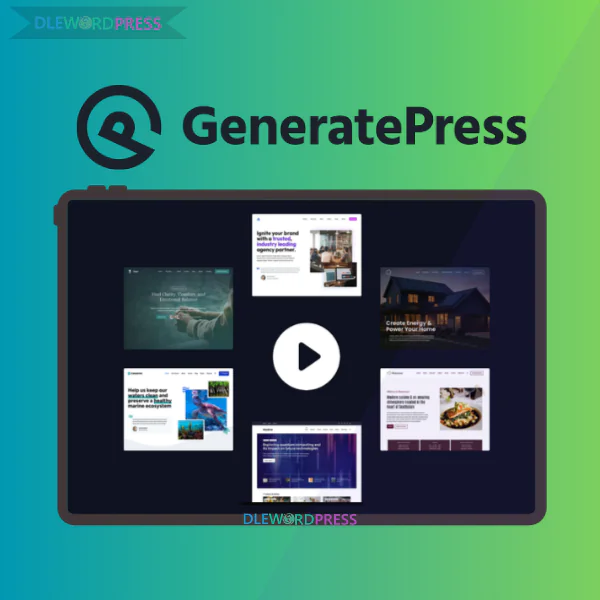
GeneratePress Premium
Price range: $10.00 through $25.00
GeneratePress – comprehensively speed up your website with the minimalist WordPress platform
[wpsm_colortable color=”green”]
| Name : | GeneratePress |
|---|---|
| Version : | Last |
| Type : | WP |
| Brand : | Tom Usborne |
| Sales/Demo : | https://generatepress.com/ |
[/wpsm_colortable]
Download this and all other Plugins & Themes as a premium member for only $7.99
Join VIP Now !
A modern website needs more than a beautiful interface. It needs speed, clean architecture, and the flexibility to evolve as your business expands. In a marketplace flooded with oversized multipurpose templates, GeneratePress takes a different route. Instead of flashy visuals and unnecessary effects, it focuses on streamlined code, measurable performance, and long-term reliability.
👉 Access the licensed GeneratePress Premium at Dlewordpress to unlock advanced capabilities with a smart, cost-efficient investment.
What Is GeneratePress?

The official GeneratePress homepage presenting its lightweight structure, performance-first philosophy, and flexible design system for professional WordPress websites.
GeneratePress is a WordPress theme designed around simplicity and efficiency. Rather than overwhelming users with design tricks, it provides a solid structural framework that loads rapidly and adapts smoothly as your website grows.
It works exceptionally well for:
- Personal blogs and niche authority sites
- Corporate and agency websites
- High-converting sales pages
- Full-featured WooCommerce stores
In essence, GeneratePress is:
- A theme engineered for rapid loading speeds
- A modular system where you activate only what you truly need
- Built with SEO standards and accessibility best practices
- Friendly for beginners yet powerful enough for developers
- Independent from heavy page builders that often reduce performance
Who Developed GeneratePress?
GeneratePress was created by Tom Usborne, an experienced WordPress developer based in Canada. Instead of following the trend of bulky all-in-one themes, he prioritized efficiency and clean engineering.
His philosophy is straightforward: remove what is unnecessary, write optimized code, and ensure performance remains the foundation. This mindset has earned GeneratePress strong credibility among developers, bloggers, and SEO professionals worldwide.
When your theme is built properly from the start, future updates, design changes, and content scaling become dramatically easier to manage.
Core Features of GeneratePress
The GeneratePress customization dashboard demonstrating granular control over layout structure, typography styling, color branding, spacing precision, and modular elements.
Exceptional Speed and Lightweight Performance
Performance is where GeneratePress truly shines.
- The compressed theme size is extremely small
- Optimized CSS and JavaScript with no unnecessary code
- Strong PageSpeed Insights and Core Web Vitals results
- No reliance on outdated heavy libraries
In real-world environments, GeneratePress is rarely the bottleneck behind a slow website. Even when combined with plugins, it remains a clean structural backbone rather than an additional burden.
If you have ever tried to fix a sluggish site, you already know: starting with a fast theme saves countless hours of optimization later.
Modular Design Architecture
One of the smartest design decisions behind GeneratePress is its modular framework. Features are not forced upon you. You activate only the components required for your project.
Key modules include:
- Layout controls for complete structural customization
- Typography management for detailed font styling
- Color settings for consistent brand identity
- Spacing adjustments for pixel-level precision
- Elements module supporting hooks, dynamic layouts, and display rules
- WooCommerce integration for online stores
- Advanced blog configuration options
This approach keeps your website lean while allowing room for expansion. Over time, you realize that simplicity is not a limitation—it is a competitive advantage.
Optimized for Gutenberg and GenerateBlocks
GeneratePress aligns perfectly with the official WordPress ecosystem, especially the Gutenberg editor.
- Stable compatibility with Gutenberg
- Seamless integration with GenerateBlocks
- No dependency on bulky third-party builders
Using Gutenberg alongside GenerateBlocks allows you to create landing pages, detailed long-form articles, and complex layouts without sacrificing speed.
Fewer plugins mean fewer conflicts and stronger technical control. For SEO professionals and content creators, that efficiency is invaluable.
SEO-Friendly Structure and User Experience
GeneratePress follows semantic HTML standards, making it easier for search engines to understand your content hierarchy.
- Logical heading structures
- Mobile-first responsive design
- Strong accessibility compliance
When your theme already supports technical SEO principles, you minimize structural issues and streamline future optimization work.
Reliable Long-Term Stability
Stability is often underestimated—but not here.
- Major updates are carefully tested
- Low conflict rate with popular plugins
- Dependable for long-term business operations
For serious website owners, stability outweighs visual gimmicks. Updating your theme without worrying about site crashes is a practical advantage that protects your business.
How to Install and Configure GeneratePress
Step 1: Install the Theme
Inside your WordPress dashboard, go to Appearance → Add New. Search for GeneratePress, install it, and activate it. The free version already provides a strong starting point. Its clean default design is intentional and performance-driven.
Step 2: Access the Customizer
Navigate to Appearance → Customize. This interface allows you to modify layout structure, fonts, and color schemes while previewing changes instantly.
Step 3: Adjust Layout Settings
- Set container width based on your content strategy
- Disable sidebars for distraction-free layouts when needed
- Select header style and menu positioning carefully
The goal is clarity, readability, and balanced visual hierarchy.
Step 4: Add Branding and Navigation
Under Site Identity, upload your logo and refine its size. Create a primary navigation menu that includes essential pages such as Blog, About, and Contact. Clear navigation improves user experience and reduces bounce rates.
Step 5: Customize Colors and Typography
Define a consistent brand palette within the Colors panel. Choose fonts that remain readable across devices, paying close attention to mobile presentation.
Step 6: Optimize Blog and Footer Areas
Configure your blog layout to maintain structured, distraction-free content. Adjust meta information visibility according to your content strategy. Keep the footer minimal—copyright details or a secondary menu are usually sufficient.
Step 7: Build Content with Gutenberg
Use Gutenberg as your main content editor. For more advanced designs, integrate GenerateBlocks. You can achieve professional results without relying on heavy builders, keeping your loading speed intact.
GeneratePress Pricing & Package Comparison
| Package / Product | Price | What’s Included | Key Strengths | Best For |
| GP Premium | $59 / year | GeneratePress Premium Theme | 60+ starter sites, Theme Builder, Local Font Library, hundreds of customization options, Full Site Editing | Users who want a lightweight, fast, SEO-friendly WordPress theme |
| GenerateBlocks Pro | $99 / year | Advanced Block Editor Plugin | 300+ design patterns, 20+ starter sites (requires GP Premium), no-code drag-and-drop building | Users who love Gutenberg and want flexible layouts without page builders |
| GenerateCloud | $99 / year | Pattern Cloud Platform | Create & share patterns and global styles across multiple sites | Agencies & developers managing multiple websites |
| GeneratePress One (Bundle) ⭐ | $149 / year | GP Premium + GenerateBlocks Pro + GenerateCloud | 80+ starter sites, 200+ patterns, access to future products, priority support | Serious builders, freelancers, and agencies |
Get GeneratePress at a Smart Price from a Reliable Provider
Detailed overview of GeneratePress Premium pricing plans, license coverage, feature unlocks, and usage rights for professional WordPress website projects
When it comes to purchasing GeneratePress, not everyone chooses to buy directly from the developer’s homepage. A growing number of users prefer accessing the Premium version through Dlewordpress, a platform known for offering WordPress themes and plugins under a shared cost model.
This approach allows website owners to unlock advanced functionality while keeping expenses under control.
Within Vietnam’s SEO and web development circles, Dlewordpress has built a solid reputation. Freelancers juggling multiple client projects, niche site builders running content networks, and small agencies aiming to optimize their budgets often turn to this option. The goal is simple: reduce upfront spending without sacrificing performance, stability, or long-term usability.
Why Choose GeneratePress from Dlewordpress?
Price is only part of the equation. Convenience and workflow efficiency matter just as much—especially if you build websites regularly.
Here is why many professionals consider this route:
- Lower overall cost compared to purchasing separate licenses directly from the original vendor
- Suitable for deploying multiple projects or managing a portfolio of websites
- Fast setup process without complicated activation steps
- Dedicated support with straightforward communication
- Flexible payment methods for user convenience
- Commitment to refund or license replacement if technical issues arise
If GeneratePress is a long-term tool in your workflow, controlling expenses from the beginning gives you more room to invest in content production, branding, or paid marketing campaigns. Smart budgeting is not about cutting corners—it is about allocating resources wisely.
How to Order GeneratePress via Dlewordpress
The process is simple and beginner-friendly:
- Access the official website of Dlewordpress and locate the GeneratePress product listing.
- Select the plan that aligns with your real usage requirements.
- Register an account if needed and complete the checkout procedure.
- After payment confirmation, you will receive activation guidance and installation instructions.
The steps are straightforward. Even if you are new to WordPress, you can complete the purchase and setup without technical stress.
GeneratePress Review: Strengths and Limitations
No theme is flawless. The key is understanding what it excels at and where it requires adjustment. That clarity helps you decide whether it fits your objectives.
Main Advantages
- Exceptional performance speed with impressive results on Google PageSpeed Insights and strong Core Web Vitals metrics
- Ultra-light framework that consumes minimal server resources—even on shared hosting environments
- Extensive customization controls for layouts, typography, spacing, hooks, and structural elements
- SEO-friendly architecture ideal for blogs, affiliate projects, authority sites, corporate platforms, and ecommerce stores
- Clean, developer-friendly codebase that supports advanced modifications
- No reliance on heavy page builders, integrates seamlessly with Gutenberg and GenerateBlocks
- Consistent updates backed by thorough documentation and a large global community
GeneratePress has earned its place among performance-focused WordPress themes because it prioritizes speed and structural clarity above visual gimmicks.
Points to Keep in Mind
- Minimalist default appearance, which may require additional styling for a bold visual identity
- Users accustomed to drag-and-drop builders like Elementor might need time to adapt
- Premium-only features unlock the full potential, while the free edition is better suited for testing
- The Elements and Hook system involves a learning curve before mastering advanced layouts
If you expect flashy animations right after installation, this theme may feel understated. But if performance and structure matter more than decoration, the trade-off makes sense.
Who Is GeneratePress Best For?
GeneratePress is not built for instant visual drama. It is crafted for long-term digital assets.
It is especially suitable for:
- SEO professionals, affiliate marketers, and authority site owners who prioritize loading speed and clean code
- Bloggers who want content to remain the main focus
- Freelancers and agencies managing multiple client websites
- Developers looking for a stable foundation to customize extensively
Among performance-oriented themes, GeneratePress consistently stands out for its technical structure and optimization capabilities. For serious, long-term projects, that reliability matters more than surface aesthetics.
Common Questions About GeneratePress
- 1. What exactly is GeneratePress and why is it associated with speed?
GeneratePress is a lightweight WordPress theme engineered with performance in mind. Its core installation size is extremely small, enabling websites to achieve high scores in PageSpeed testing tools. This makes it highly attractive for SEO-focused projects and user experience optimization. - 2. How does Premium differ from the free version?
The free edition provides the essential framework. Upgrading to Premium unlocks advanced capabilities such as:
- Elements: Build custom layouts, hooks, and dynamic headers with advanced control.
- Site Library: Import from a wide range of professionally designed starter templates.
- WooCommerce enhancements: Greater flexibility for online store customization.
- Menu Plus: Sticky navigation, mobile header customization, and off-canvas menus.
- 3. Why is the Elements feature considered powerful?
Elements enables you to insert custom content into virtually any position on your site through hooks—without modifying theme files directly. This opens the door to advanced layout control and dynamic content placement.
- 4. Can I use GeneratePress without Elementor?
Absolutely. Many users pair it with GenerateBlocks and the native Gutenberg editor. This combination maintains clean code and faster performance compared to heavier page builders.
- 5. Is there a lifetime license available?
Yes. The Lifetime option allows installation across numerous websites, which is especially beneficial for agencies and developers managing long-term projects.
- 6. Is it suitable for beginners?
Yes. By importing a template from the Site Library, you can launch a fully structured website quickly and then replace demo content with your own.
- 7. What happens if I do not renew the annual subscription?
Your site will continue functioning normally. However, you will lose access to updates and official support. For ongoing projects, many users consider the Lifetime plan a more economical long-term investment.
Final Thoughts
Based on practical evaluation and user feedback, Dlewordpress provides a practical and budget-conscious way for website creators in Vietnam to access GeneratePress Premium.
The theme itself may appear simple at first glance. Yet as your website expands, traffic grows, and optimization demands increase, the importance of a lightweight and flexible foundation becomes clear.
Building a website is not just about launching—it is about sustainability. Choosing a performance-driven theme like GeneratePress is a strategic move for anyone serious about long-term digital growth.
Explore GeneratePress Premium at Dlewordpress to access advanced functionality, stable updates, and smarter budget management.
Reference: https://generatepress.com/
| License | 1 site, 5 sites |
|---|
Important Note
Unzip the file downloaded from our website before use. The zip file may include additional files like templates or documentation. Ensure you upload the correct file for installation.
How to Install Plugins
- Download the latest
.ZIPfile from DLEWordPress. - Log into your WordPress dashboard.
- Navigate to Plugins > Add New.
- Click Upload Plugin at the top.
- Select the plugin’s zip file.
- Click Install Now to complete the process.
How to Install Themes
- Download the latest
.ZIPfile from DLEWordPress. - Extract the zip file if required; ensure the main theme and child theme are accessible.
- Log into your WordPress dashboard.
- Go to Appearance > Themes.
- Click Add New, then Upload Theme.
- Select the theme’s zip file.
- Click Install Now to complete the installation.
Access Older Plugin/Theme Versions
Our website also hosts older versions of plugins and themes. You can use these to test compatibility with your website or roll back to a previous version in case of bugs or compatibility issues.
License Warnings
If the theme/plugin prompts for a license, you can safely ignore it. We provide pre-activated products using legal keys purchased for your use.
Updating to a New Version
When updates are available, you’ll find the latest versions in your My Account > Downloads section and for Membership customers Download files are available of product pages.
Fixing “Destination Already Exists” Error
- Delete the current version of the theme/plugin from your site before installing our premium version to avoid conflicts.
- Alternatively, install the Easy Theme and Plugin Upgrades plugin to resolve this issue effortlessly.
DLEWordPress ensures you have all the tools and support you need for seamless installations and updates!
For any installation or technical-related queries, Please contact via Live Chat or Support Ticket.Related products
WordPress

WordPress


WordPress
WordPress

WordPress
WordPress
Comments Widget Plus 1.0.3 – Theme Junkie
$99.99Original price was: $99.99.$5.00Current price is: $5.00.