
Magic Content Box v1.2.0 – Page Content Builder Gutenberg Block for WordPress
Original price was: $15.00.$5.00Current price is: $5.00.
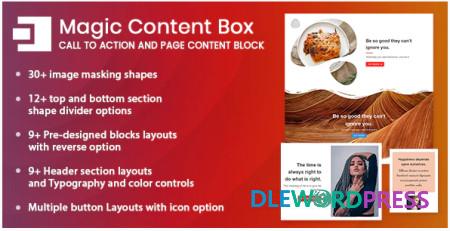
Magic Content Box : We build a beautiful series of page section Gutenberg blocks for WordPress content to help you quickly create the website you’ve always desired.
Download this and all other Plugins & Themes as a premium member for only $7.99
Join VIP Now !
Feature of Magic Content Box – Page Content Builder Gutenberg Block for WordPress
- 30+ image masking shapes
- 12+ top and bottom section shape divider options
- 9+ Pre-designed blocks layouts with reverse option
- 9+ Header section layouts with reverse option
- Multiple button Layouts with icon option
- Separate inner section for other WordPress blocks
- Typography and color controls
- Gradients Color Effects
- Font Awesome 5 Icons
- Box-shadow and borders
- Gaps and spacing controls
- Highly customizable layouts
[wpsm_button color=”green” size=”big” link=#” icon=”download” class=”” border_radius=”10px” target=”_blank” rel=”nofollow”]Free Downloads[/wpsm_button] [wpsm_box type=”download” float=”none” text_align=”center”][sociallocker id=”155″]
Password : www.dlewordpress.com
[/sociallocker][/wpsm_box]
[wpsm_button color=”gold” size=”big” link=”#” icon=”download” class=”” border_radius=”10px” target=”_blank” rel=”nofollow”]VIP Downloads[/wpsm_button]
Important Note
Unzip the file downloaded from our website before use. The zip file may include additional files like templates or documentation. Ensure you upload the correct file for installation.
How to Install Plugins
- Download the latest
.ZIPfile from DLEWordPress. - Log into your WordPress dashboard.
- Navigate to Plugins > Add New.
- Click Upload Plugin at the top.
- Select the plugin’s zip file.
- Click Install Now to complete the process.
How to Install Themes
- Download the latest
.ZIPfile from DLEWordPress. - Extract the zip file if required; ensure the main theme and child theme are accessible.
- Log into your WordPress dashboard.
- Go to Appearance > Themes.
- Click Add New, then Upload Theme.
- Select the theme’s zip file.
- Click Install Now to complete the installation.
Access Older Plugin/Theme Versions
Our website also hosts older versions of plugins and themes. You can use these to test compatibility with your website or roll back to a previous version in case of bugs or compatibility issues.
License Warnings
If the theme/plugin prompts for a license, you can safely ignore it. We provide pre-activated products using legal keys purchased for your use.
Updating to a New Version
When updates are available, you’ll find the latest versions in your My Account > Downloads section and for Membership customers Download files are available of product pages.
Fixing “Destination Already Exists” Error
- Delete the current version of the theme/plugin from your site before installing our premium version to avoid conflicts.
- Alternatively, install the Easy Theme and Plugin Upgrades plugin to resolve this issue effortlessly.
DLEWordPress ensures you have all the tools and support you need for seamless installations and updates!
For any installation or technical-related queries, Please contact via Live Chat or Support Ticket.Related products

WordPress

WordPress

WordPress

WordPress

WordPress
WordPress

WordPress

WordPress