
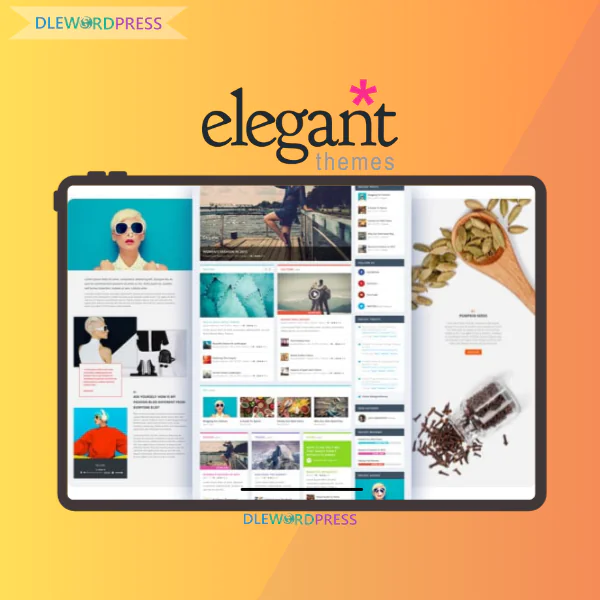
Elegant Themes
$22.00
Elegant Themes is the top choice for creating fast, beautiful, and flexible WordPress websites without coding
[wpsm_colortable color=”green”]
| Name : | Elegant Themes – Divi |
|---|---|
| Version : | Last |
| Type : | WordPress |
| Brand : | Nick Roach |
| Sales/Demo : | https://www.elegantthemes.com/ |
[/wpsm_colortable]
Download this and all other Plugins & Themes as a premium member for only $7.99
Join VIP Now !
If you want to create a clean, high-performing WordPress website without ever touching code, Elegant Themes deserves a serious look. This company is best known as the creator of Divi — one of the most widely used visual builders on the planet, according to BuiltWith statistics. But Elegant Themes goes far beyond design. Its ecosystem blends website building with built-in marketing tools, helping sites not only look polished but also convert visitors into customers.
What Exactly Is Elegant Themes?

Elegant Themes ecosystem – A trusted global platform for building professional WordPress websites
Elegant Themes is a premium WordPress theme and plugin company established in 2008. After more than sixteen years of development, the brand has become known for its simple but powerful membership approach. With a single subscription, users are free to build and maintain unlimited websites, whether for clients or personal projects.
Instead of selling isolated tools, Elegant Themes delivers a complete toolkit designed to grow alongside your business.
Here’s what you gain with Elegant Themes:
- Divi Theme & Divi Builder – A fully visual drag-and-drop system that removes the need for coding
- Unified membership access – One plan unlocks every theme and plugin for unlimited sites
- Integrated marketing tools – Bloom for email capture, Monarch for social engagement, and Divi Leads for split testing
- Extra Theme – A purpose-built theme for blogs, magazines, and content-heavy platforms
- Divi Marketplace – Community-built extensions, layouts, and child themes
- Divi AI – Artificial intelligence for generating content, visuals, and code inside the builder
- Divi Cloud – Cloud storage for layouts, presets, and reusable design assets
- Divi Dash – Centralized control panel for managing multiple WordPress websites
The Team Behind Elegant Themes
Elegant Themes was founded by Nick Roach in 2008 with a simple but ambitious goal: make WordPress design accessible, attractive, and easy for everyone — from solo creators to growing companies.
Rather than following the old model of selling themes individually, Nick introduced a membership-based structure that allowed users to access all products at a fair price. This decision played a major role in transforming Elegant Themes from a small operation into a global brand now serving over 974,000 customers worldwide.
From the launch of Divi Builder in 2013 to the recent integration of AI-powered tools, the platform has consistently evolved to match modern web standards.
Core Features of the Elegant Themes Platform
It is not just a theme shop. It’s a complete WordPress ecosystem built for beginners, freelancers, agencies, and marketing teams who value efficiency and flexibility.
Divi Theme & Visual Builder
Divi Theme paired with the Visual Builder offers real-time design freedom
This is the foundation of everything Elegant Themes offers.
- Edit pages directly on the frontend with instant visual feedback
- No need to jump between editor and preview screens
- Over 40 flexible modules for content, sales, and marketing layouts
- Advanced control over typography, colors, spacing, animations, and effects
- Device-specific settings for desktop, tablet, and mobile views
Working with Divi feels closer to using a professional design application than a traditional WordPress editor.
Divi Quick Sites
A fast-track solution for launching complete websites.
- Pre-built starter sites tailored to different industries
- Automatically structured, business-ready page layouts
- AI-generated text and visuals aligned with your niche
- Consistent branding and design styles from the start
This feature is a time-saver for agencies and freelancers who need rapid deployments.
Theme Builder
Divi goes beyond pages by giving full control over site-wide templates.
- Custom headers and footers
- Templates for posts, archives, search pages, and error pages
- Visual WooCommerce page customization
- Conditional display rules for different content types
With Theme Builder, Divi functions as a complete WordPress framework.
Divi AI
An AI assistant purpose-built for website creation.
- Generate headlines, sections, and landing page copy
- Rewrite content based on tone and length preferences
- Create contextual AI images that match page design
- Assist with CSS and JavaScript for advanced customization
- Build full websites automatically by industry type
Divi AI helps eliminate empty templates and speeds up the launch process.
A Library of Over 2,600 Pre-Designed Layouts
A massive collection of layouts covering nearly every website category.
- Designs for businesses, agencies, ecommerce, blogs, and services
- Includes full pages as well as modular sections
- Consistent styling that adapts easily to your brand
- Reusable across multiple projects
Global Design System
Consistency without repetitive work.
- Global color palettes, fonts, and spacing rules
- Reusable presets for modules and elements
- Update once and apply changes site-wide
Divi Cloud
Cloud-based storage for modern workflows.
- Save layouts, presets, templates, and code snippets
- Reuse assets across different websites
- Perfect for teams and agency collaboration
- No manual import or export needed
Divi Pro users benefit from expanded cloud storage limits.
Divi Marketplace
Divi Marketplace – Community-driven extensions that expand Divi’s capabilities
A growing ecosystem powered by third-party creators.
- Advanced modules, child themes, and layout packs
- Extend Divi to match real-world project needs
- Divi Pro members receive credits for marketplace purchases
Built-In Marketing Tools
No extra plugins required.
- Divi Leads for native A/B testing
- Bloom for email opt-in forms with smart triggers
- Monarch for social sharing and follower growth
Divi Dash
One dashboard for multiple websites.
- Track website status and updates
- Bulk update themes and plugins
- One-click login access
- Clear role and permission management
Extra Theme
A strong option for content-focused websites.
- Category Builder for custom archive layouts
- Built-in review and rating system
- Ideal for large blogs, news portals, and affiliate sites
Performance & Code Optimization
Speed and efficiency remain a top priority.
- Dynamic CSS loading and lazy loading
- Reduced unnecessary resource usage
- Excellent compatibility with caching tools and CDNs
- Divi 5.0 introduces a modern architecture focused on performance
When optimized correctly, Divi-powered websites can achieve strong PageSpeed performance and excellent user experience.
Elegant Themes Pricing
| Plan | Price | Billing | Best For | Features & Benefits |
| Divi | $7.42 / month ($89 / year) | Annual | Website owners, freelancers, WordPress professionals | • Divi Theme & Builder (all features included) • Divi Quick Sites • 300+ pre-built website packs • Unlimited website usage • Divi Dash – manage unlimited sites • 24/7 premium support • Includes Extra, Bloom & Monarch • Risk-free guarantee |
| Divi Pro ⭐ Save 69% | $23.08 / month ($277 / year) <del>$888 / year</del> | Annual | Web professionals & agencies building sites at scale | • Everything in the Divi plan • Divi AI: unlimited layout, text, image & code generation • AI Website Builder • Divi Cloud – unlimited cloud storage • Divi VIP – 24/7 priority support (30 min or less response) • 10% off the Divi Marketplace • Divi Teams – invite 4 team members • $50 Divi Marketplace credit • DonDivi collection ($170 worth of Divi extensions) • Includes Extra, Bloom & Monarch • Risk-free guarantee |
How to use Elegant Themes (Divi Theme)
Getting started with Divi does not require advanced technical skills. With a properly prepared WordPress setup, anyone can begin building professional websites using Elegant Themes.
Step 1: Set Up a Fully Functional WordPress Website
Before installing Divi, make sure your WordPress website is live with a valid domain name and hosting service. Most modern hosting providers offer one-click WordPress installation, making the setup process fast and beginner-friendly.
Step 2: Purchase a Divi License and Download the Theme
Head to the official Elegant Themes website and select either a yearly subscription or a lifetime membership. Once payment is complete, download the Divi Theme as a .zip file to your device for later installation.
Step 3: Install and Activate Divi Inside WordPress
Log in to your WordPress admin panel, navigate to Appearance → Themes → Add New → Upload Theme, and upload the Divi file. After installation, activate the theme to begin working with Divi.
Step 4: Build Your First Page Using Divi Builder
Create a new page by going to Pages → Add New. Enter your page title, then click Use Divi Builder. This action launches Divi’s visual editor, replacing the default WordPress editor.
Step 5: Speed Up Design with Prebuilt Layouts
New users can save time by selecting Browse Layouts. Divi provides a large collection of professionally designed, mobile-responsive layouts that can be customized instantly.
Step 6: Learn How Divi Structures Content
Divi is organized around a simple hierarchy: Sections → Rows → Modules. Modules include text blocks, images, buttons, forms, videos, and call-to-action elements. Understanding this structure helps you design faster and more confidently.
Step 7: Customize Content with Real-Time Visual Editing
Click any element on the page to adjust text, typography, colors, spacing, or alignment. Changes appear instantly on the live preview, allowing precise control without writing code.
Step 8: Optimize Layouts for Mobile and Tablet Devices
Divi lets you fine-tune designs separately for desktop, tablet, and mobile views. This ensures consistent appearance across devices while improving usability and SEO performance.
Step 9: Save, Publish, and Reuse Your Designs
Once your page is ready, choose Save Draft or Publish. You can also store layouts, sections, or individual modules for reuse, making future projects significantly faster.
Where to Buy Elegant Themes at a Stable and Budget-Friendly Price
Updated Elegant Themes pricing comparison illustrating Divi yearly and lifetime membership options
Purchasing directly from Elegant Themes can be costly, particularly for freelancers, beginners, or small teams managing multiple projects. To reduce expenses, many users turn to Dlewordpress, a platform widely recognized for shared access to premium WordPress tools.
Through Dlewordpress, users can access Elegant Themes at a significantly lower cost while still meeting real-world website development needs without heavy upfront investment.
Why Many Users Choose Elegant Themes via Dlewordpress
- Lower pricing that fits freelancers and solo creators
- Smooth and quick purchasing experience
- Support assistance available when technical issues occur
- Access to core Divi Theme and Divi Builder functionality
- Well-suited for client projects, testing environments, and niche sites
- Cost-efficient without sacrificing usability
If budget control is a priority, buying Elegant Themes through Dlewordpress offers a practical and flexible solution.
How to Purchase Elegant Themes from Dlewordpress
- Visit the official Dlewordpress website
- Search for Elegant Themes or Divi Theme
- Select a suitable plan based on your needs
- Create an account or log in
- Complete the payment process as guided
- Receive access instructions and support details
With only a few simple steps, you can start building Divi-powered websites while keeping costs under control.
Elegant Themes: Advantages and Limitations from Real Usage
It is a powerful solution, but like any tool, it has both strengths and considerations. Understanding both helps users apply it effectively.
Main Benefits of Elegant Themes
- Live visual editing experience
Divi Builder allows direct drag-and-drop editing on the front end. This makes website creation accessible for beginners while still saving time for advanced users.
- Extensive design control
Typography, spacing, colors, animations, and device visibility can all be adjusted without additional plugins.
- One license for multiple projects
Elegant Themes memberships allow usage across numerous websites, making it ideal for freelancers and agencies.
- Built-in marketing plugins
Bloom supports email list growth, while Monarch handles social sharing, reducing the need for third-party tools.
- Large library of ready-made layouts
Professionally designed templates help launch projects quickly with minimal customization.
- Strong community and documentation
Tutorials, forums, and videos are widely available, making problem-solving easier.
Things to Keep in Mind
- Learning curve for new users
The wide range of settings may feel overwhelming at first. Starting simple is recommended.
- Excessive effects can impact performance
Overusing animations or visual effects may slow loading times, especially on mobile devices.
- Some default layouts feel traditional
While not always trendy, layouts can be customized easily to match modern styles.
- Optimization is still necessary
Good hosting, caching, and image optimization are essential for best performance.
Who Should Consider Using Elegant Themes?
- WordPress beginners wanting fast results
- Freelance designers seeking flexibility
- Small agencies managing client websites
- Bloggers and digital marketers
- Online store owners needing layout control
- Long-term website builders
Frequently Asked Questions
- What is Elegant Themes?
It is a premium WordPress ecosystem best known for Divi Theme and Divi Builder, enabling visual website creation.
- Is Divi beginner-friendly?
Yes. With prebuilt layouts and visual editing, Divi is suitable for beginners who learn step by step.
- Is there a free version of Elegant Themes?
No. Full access requires a paid membership.
- Does Divi slow down websites?
When optimized properly, Divi sites can maintain good speed and SEO performance.
- Who benefits most from Elegant Themes?
Freelancers, agencies, bloggers, and marketers who want design freedom without coding.
Final Verdict
Elegant Themes goes beyond a typical WordPress theme. It is a complete website-building ecosystem designed to improve speed, design quality, and workflow efficiency.
For users aiming to reduce expenses while still leveraging Divi’s full potential, purchasing through Dlewordpress is a smart option. Choosing the right tools early creates a smoother and more sustainable website-building journey.
Official website: https://www.elegantthemes.com/
| Time | Yearly |
|---|
Important Note
Unzip the file downloaded from our website before use. The zip file may include additional files like templates or documentation. Ensure you upload the correct file for installation.
How to Install Plugins
- Download the latest
.ZIPfile from DLEWordPress. - Log into your WordPress dashboard.
- Navigate to Plugins > Add New.
- Click Upload Plugin at the top.
- Select the plugin’s zip file.
- Click Install Now to complete the process.
How to Install Themes
- Download the latest
.ZIPfile from DLEWordPress. - Extract the zip file if required; ensure the main theme and child theme are accessible.
- Log into your WordPress dashboard.
- Go to Appearance > Themes.
- Click Add New, then Upload Theme.
- Select the theme’s zip file.
- Click Install Now to complete the installation.
Access Older Plugin/Theme Versions
Our website also hosts older versions of plugins and themes. You can use these to test compatibility with your website or roll back to a previous version in case of bugs or compatibility issues.
License Warnings
If the theme/plugin prompts for a license, you can safely ignore it. We provide pre-activated products using legal keys purchased for your use.
Updating to a New Version
When updates are available, you’ll find the latest versions in your My Account > Downloads section and for Membership customers Download files are available of product pages.
Fixing “Destination Already Exists” Error
- Delete the current version of the theme/plugin from your site before installing our premium version to avoid conflicts.
- Alternatively, install the Easy Theme and Plugin Upgrades plugin to resolve this issue effortlessly.
DLEWordPress ensures you have all the tools and support you need for seamless installations and updates!
For any installation or technical-related queries, Please contact via Live Chat or Support Ticket.Related products
WordPress
WordPress
WordPress
WordPress
WordPress

WordPress
WordPress